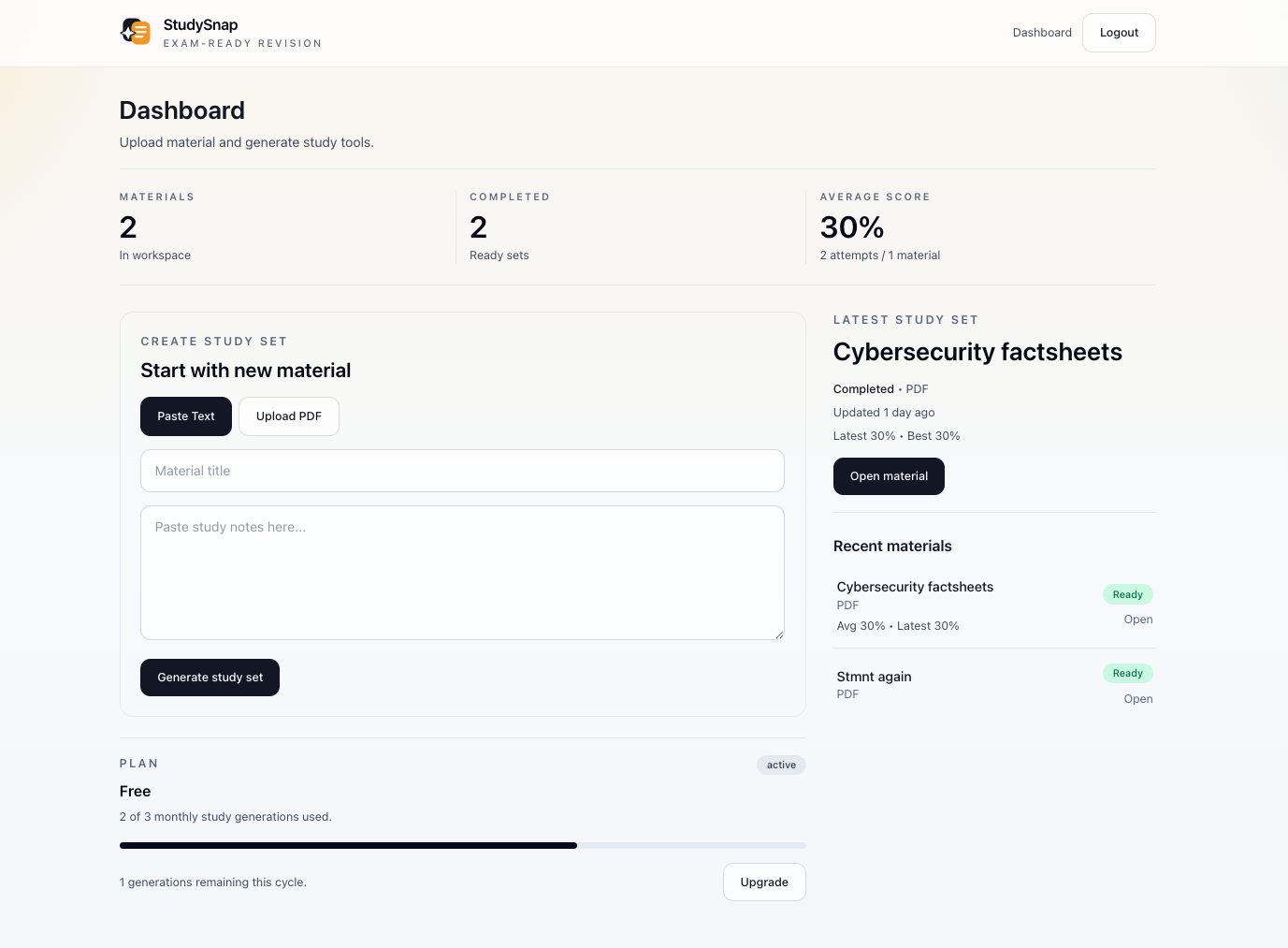
Turn dense material into focused Study Sets.
StudySnap transforms PDFs, pasted notes, certification content, and professional learning material into summaries, simple explanations, flashcards, quizzes, progress tracking, and study recommendations.
Study Sets
Large PDFs and long notes are split into focused sections
4 tools
Summary, Explain Simply, flashcards, and quiz
Coach
Progress-aware recommendations for what to study next
Inside StudySnap
One place to generate, practice, track, and return.
Your materials, Study Sets, quiz scores, flashcard progress, reminders, and coaching all stay organized in your Snap Space.

Study workflow
Built for studying from start to finish.
StudySnap is not just a document summary. It gives you a repeatable study loop from material to practice to progress.
01
Add material
Upload a PDF or paste notes, certification content, training material, policies, or course handouts.
02
Split into Study Sets
StudySnap breaks large or text-heavy material into focused sections so each output stays useful.
03
Study and practice
Use the summary, simple explanations, flashcards, and quiz inside each Study Set.
04
Track and return
See scores, weak topics, unfinished sections, and Study Coach recommendations.
Study Set tools
Every focused section gets the tools to study it.
Summary
Readable overviews that pull out key ideas, likely focus areas, and what matters most.
Explain Simply
Plain-language explanations for difficult concepts, with examples to make ideas easier to retain.
Flashcards
Topic-grouped cards for active recall, with right, wrong, and skipped tracking.
Quiz
Short-answer and multiple-choice questions that test understanding and record performance.
Progress tracking
Know what you studied and what still needs work.
- • Quiz attempts, average score, and best score
- • Flashcard right, wrong, skipped, and accuracy tracking
- • Weak topics based on missed answers
- • Study Set status across ready, processing, pending, and failed
- • Study Coach recommendations based on actual activity
Study Coach
Get a next step instead of guessing what to review.
Basic Study Coach recommends what to do next from your progress. Pro adds Advanced Study Coach with readiness score, focus topics, and a personalized study plan.
Example recommendation
Review authentication flashcards, retake the quiz, then move to the next unfinished Study Set.
Free and Pro
Start with the core loop. Upgrade when you need more.
Free gives you limited generations and the study workflow. Pro unlocks higher usage, larger uploads, reminders, advanced coaching, and regeneration.
FAQ
Common questions before you start.
Who is StudySnap for?
StudySnap is for students, exam candidates, and professionals studying course material, certifications, work documents, onboarding content, policies, or training material.
How is StudySnap different from ChatGPT or NotebookLM?
StudySnap is a structured study workflow. It turns material into Study Sets, gives you summaries, explanations, flashcards, quizzes, progress tracking, and recommendations for what to study next.
What is a Study Set?
A Study Set is a focused section of your material. Large or text-heavy documents are split into multiple Study Sets so summaries, flashcards, and quizzes stay detailed.
Why can a large PDF use more generations?
Each Study Set uses one generation because each one gets its own summary, explanations, flashcards, and quiz. This keeps output quality balanced for both short and large documents.
Can I paste text instead of uploading a PDF?
Yes. You can paste text directly, and long pasted text can also be split into focused Study Sets.
What does the Study Coach do?
The basic Study Coach recommends the next action from your progress. Pro adds Advanced Study Coach with readiness score, focus topics, and a personalized study plan.
What does Pro unlock?
Pro unlocks more generations, larger uploads, more Study Sets per upload, email notifications, study reminders, Advanced Study Coach, and Study Set regeneration.
Can I regenerate a Study Set?
Yes, on Pro. Regeneration uses one generation credit and replaces that Study Set’s summary, flashcards, quiz, and explanations.
Do failed generations count as paid regeneration?
No. Retrying a failed Study Set caused by system processing is treated as recovery. Paid regeneration is for intentionally creating a new version of an already completed Study Set.
Does StudySnap support scanned PDFs?
StudySnap works best with text-based PDFs. If readable text cannot be extracted, upload a text-based PDF or paste the text directly.
Start now
Bring your next lecture note, certification guide, or work document into StudySnap.
Create an account, add material, and move from dense content to a structured study workflow.